


Overview
Airnode is a first-party oracle that pushes off-chain API data on-chain via data feeds (dAPIs) or using its request-response protocol (RRP). Airnode runs off-chain as a background component of the API3 ecosystem. Understanding Airnode is a progression of pages that provides a detailed understanding of the capabilities and functionality of Airnode.
Project Folder
A typical Airnode project folder contains files used to define the Airnode. Show below are typical project folders for each of AWS, GCP, and container deployments.
my-airnode
├── aws.env
├── config.json
└── secrets.envmy-airnode
├── config.json
├── gcp.json
└── secrets.envmy-airnode
├── config.json
└── secrets.envBoth AWS and GCP have a platform specific file aws.env and gcp.json. Use the files in the Templates as an aid to create all but the gcp.json files. Also see the Examples for demonstration purposes.
Configuration files
config.json: Defines Airnode and its behavior.secrets.env: Secrets referenced byconfig.jsonusing interpolation.aws.env: AWS credentials.gcp.json: GCP project information.
The diagrams below depict the configuration files needed for a successful deployment of an Airnode to AWS, GCP, and a Docker Container.
AWS
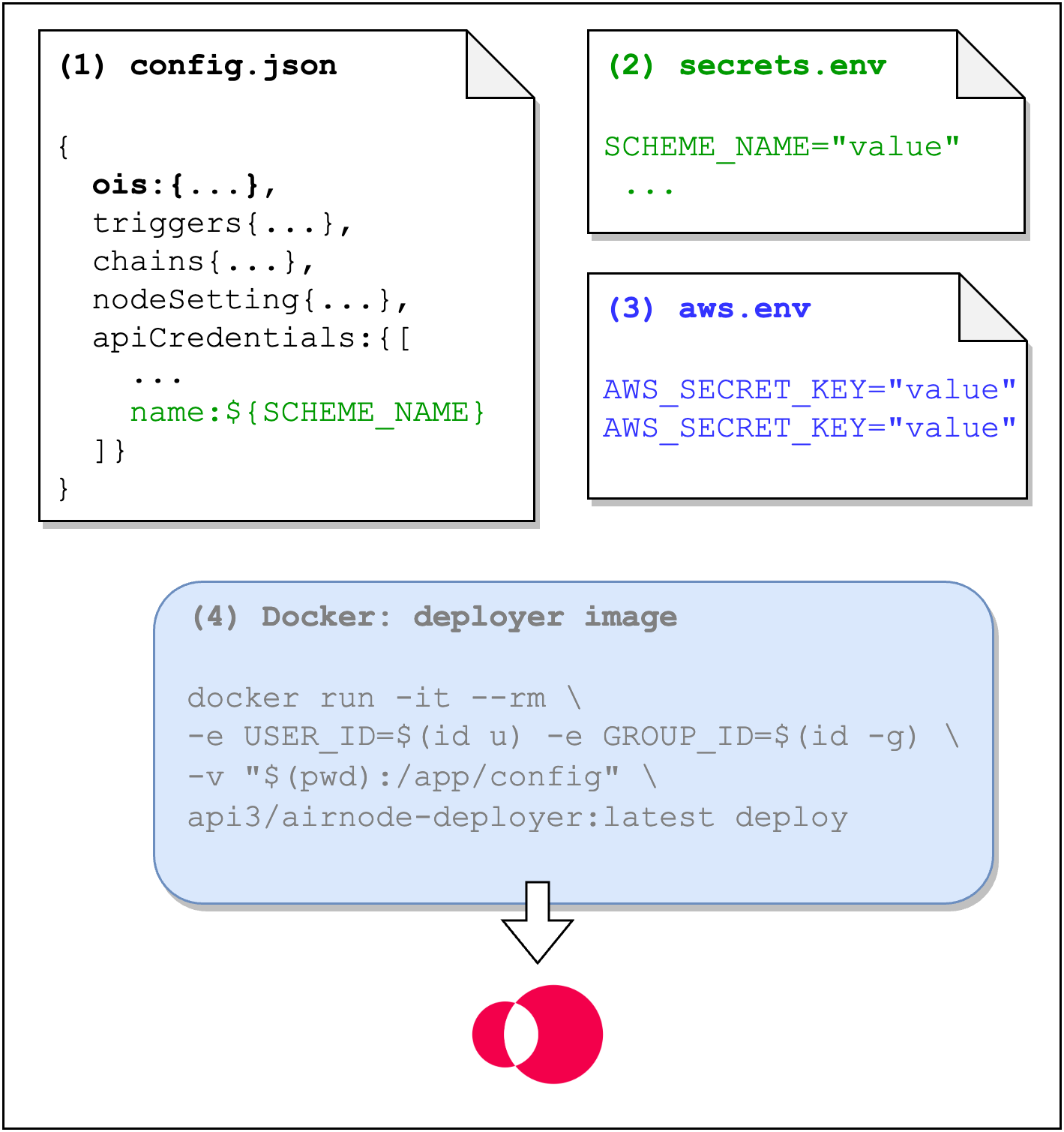
- config.json: Contains the Airnode's configuration. It contains an important element, called OIS, that maps an API to Airnode endpoints.
- secrets.env: Contains values that should not be exposed in config.json.
- aws.env: Contains AWS credentials required by the Docker deployer image.
- deployer image: Docker image that deploys the Airnode using its deploy command.
GCP
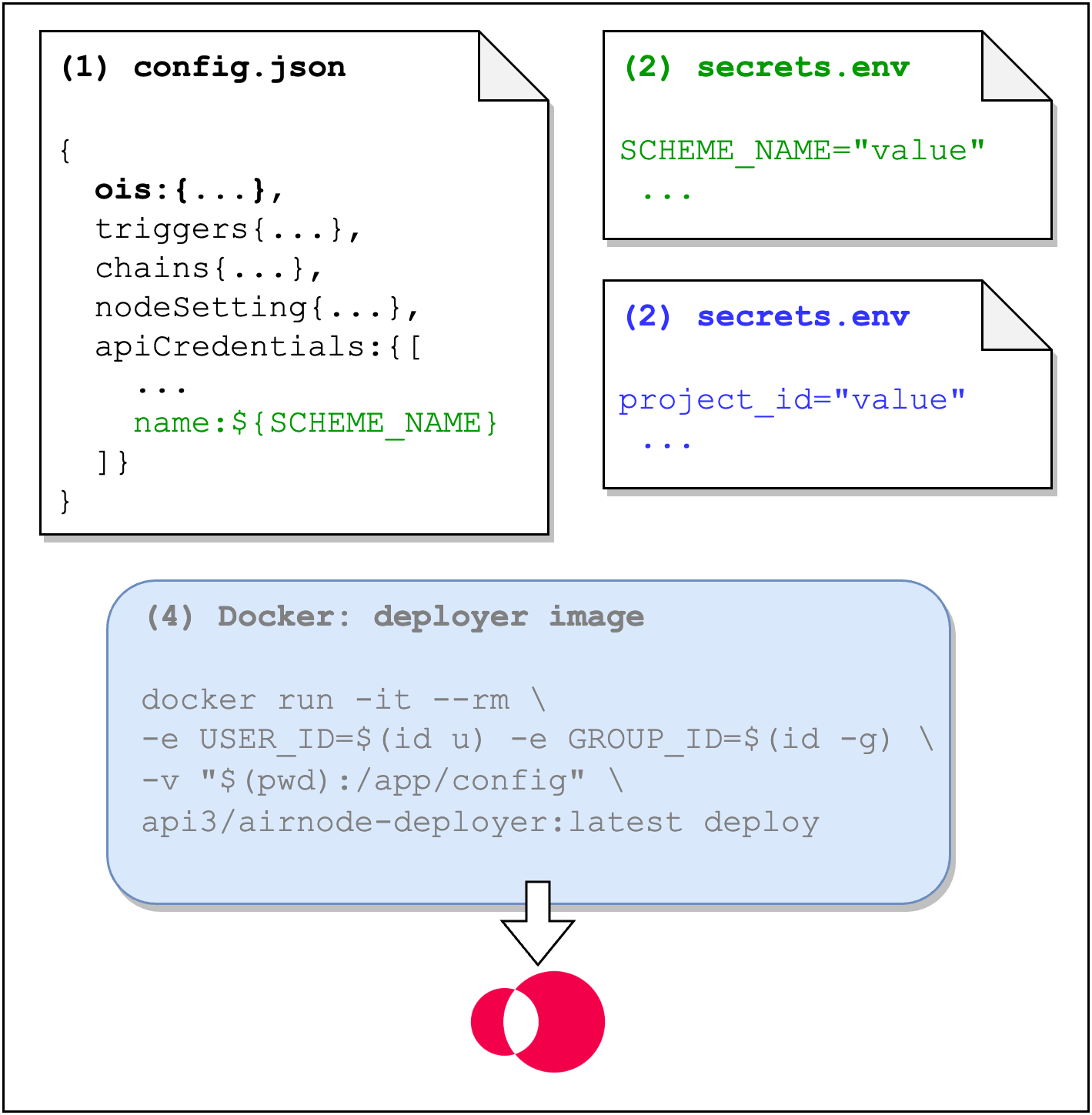
- config.json: Contains the Airnode's configuration. It contains an important element, called OIS, that maps an API to Airnode endpoints.
- secrets.env: Contains values that should not be exposed in config.json.
- gcp.json: GCP project file.
- deployer image: Docker image that deploys the Airnode using its deploy command.
Container
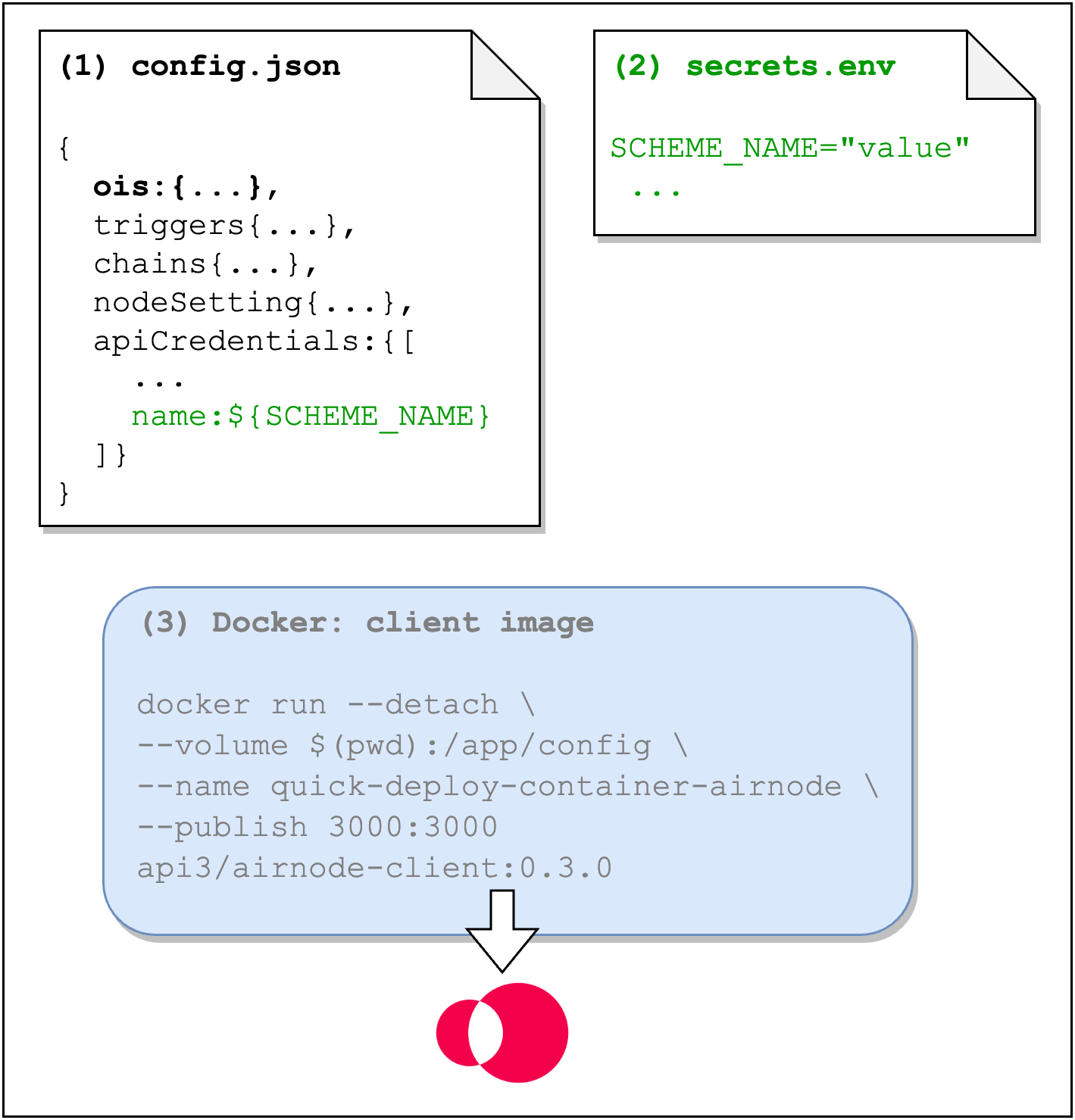
- config.json: Contains the Airnode's configuration. It contains an important element, called OIS, that maps an API to Airnode endpoints.
- secrets.env: Contains values that should not be exposed in config.json.
- client image: The Docker client image that contains the Airnode and runs with the provided configuration.
Deploying
There are two ways to deploy and run an Airnode. The most popular is with a cloud provider such as AWS or GCP. Use the Docker Airnode Deployer Image for these type of deployments.
The second method is to run a containerized Airnode hosted internally or with a cloud provider service (e.g. AWS, EC2, or Lightsail). Use the Docker Airnode Client Image for this type of deployment.
Try the guide AWS Deploying Airnode via AWS as a quick introduction to an Airnode deployment. Also be sure to visit ChainAPI and try its user-friendly UI that deploys an Airnode.
FLEX_END_TAG